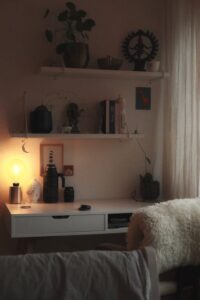






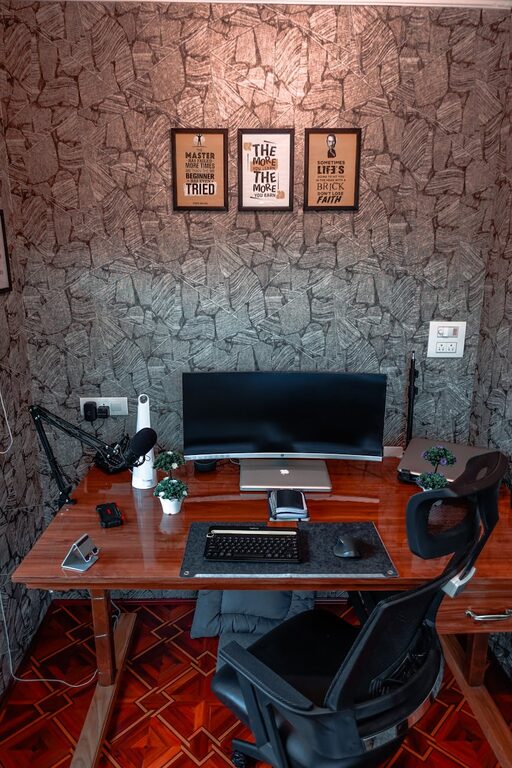
Creating a cozy and functional home workspace is essential for anyone working or studying from home. A well-designed workspace can boost your productivity, reduce stress, and make your workday more enjoyable. Whether you have a dedicated room or just a corner in your living space, these tips will help you craft an environment that’s both comfortable and efficient.
Choose the Right Location
The first step is selecting the best spot for your workspace. Ideally, it should be:
– Quiet and free from distractions: Choose a space away from heavy foot traffic or noisy areas.
– Near natural light: Position your desk near a window to benefit from daylight, which can improve mood and focus.
– Close to power outlets: Ensure you can easily plug in your devices without using excessive extension cords.
If space is limited, consider using a room divider or curtains to create a defined workspace area.
Invest in Comfortable and Ergonomic Furniture
Comfort matters when you spend hours working at a desk. Here’s what to consider:
– Ergonomic chair: Select a chair that supports your back and encourages good posture.
– Adjustable desk: If possible, choose a desk with adjustable height to alternate between sitting and standing.
– Desk size: Ensure your desk has enough surface area for your computer, paperwork, and other essentials.
– Storage solutions: Opt for desks with built-in drawers or add shelves to keep supplies organized.
Remember, investing in good furniture can prevent discomfort and improve long-term health.
Personalize Your Space
Adding personal touches creates a cozy atmosphere that makes working more pleasant:
– Decorate with plants: Greenery not only adds color but also boosts air quality and reduces stress.
– Use soft lighting: Supplement natural light with lamps or string lights to avoid harsh overhead lighting.
– Incorporate colors you love: Use art, cushions, or rugs in soothing or inspiring colors to make the space inviting.
– Add meaningful items: Photos, motivational quotes, or souvenirs can increase your emotional connection to the space.
Just be sure to avoid clutter by limiting decorations to a few favorites.
Organize Efficiently
An organized workspace reduces distractions and saves time:
– Use storage containers: Bins, baskets, and trays help keep small items tidy.
– Label everything: Label folders, drawers, and boxes for easy access.
– Manage cables: Use cable clips or sleeves to prevent cords from tangling.
– Keep only essentials on the desk: Store other items away except for what you use daily.
Regularly declutter your workspace to maintain a clean and efficient environment.
Optimize Technology Setup
Your tech setup should support your workflow without causing frustration:
– Reliable internet connection: Ensure you have a strong, stable signal in your workspace area.
– Second monitor: Consider adding an extra screen to increase productivity.
– Quality headset or speakers: Clear audio is important for calls and focus.
– Wireless peripherals: Wireless keyboard and mouse reduce cable clutter.
– Charging station: Dedicate a spot for charging devices to keep them powered and accessible.
Keeping your technology well-arranged helps maintain focus and efficiency.
Prioritize Comfort and Wellness
Pay attention to factors that contribute to your well-being at work:
– Maintain good posture: Use ergonomic furniture and take breaks to stretch.
– Control temperature: Use a fan, heater, or adjust window coverings to keep your area comfortable.
– Hydration and snacks: Keep water and healthy snacks nearby.
– Incorporate movement: Schedule short breaks to walk or stretch.
A workspace that supports your health encourages sustained productivity.
Establish Daily Routines and Boundaries
Finally, your workspace habits impact your success:
– Set specific work hours: Define when you start and end work daily.
– Create a startup ritual: Develop a routine that signals the beginning of your workday.
– Limit distractions: Turn off non-work notifications and use noise-canceling headphones if needed.
– End work clean-up: Spend a few minutes tidying your space to prepare for the next day.
Creating these boundaries helps separate work life from home life, improving balance.
—
By combining these practical tips, you can design a home workspace that feels both cozy and highly functional. Tailor your environment to your needs, maintain organization, and prioritize comfort to make working from home a more enjoyable and productive experience.